
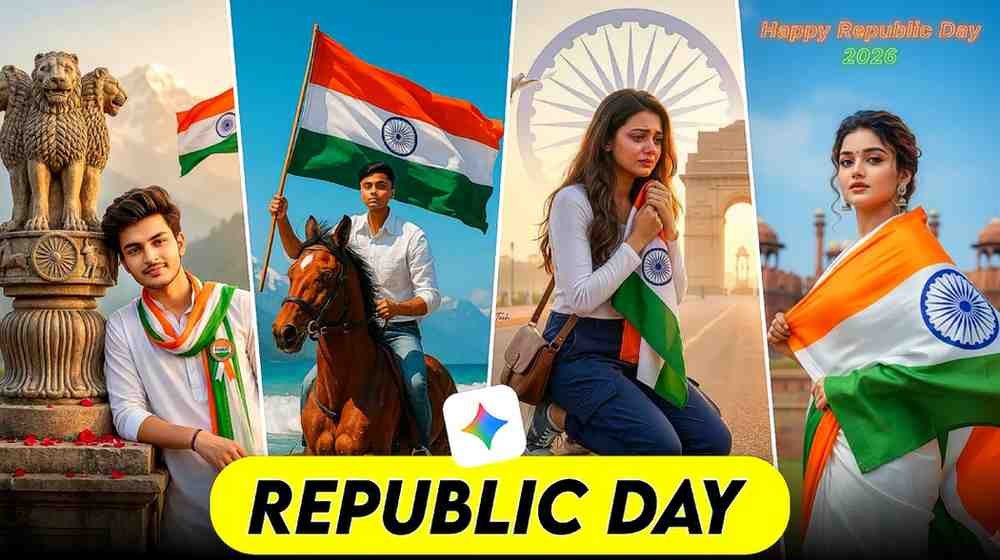
Do you also want to edit special photos for 26 January Republic Day? But do you think learning software is hard? Or do you not have any ideas for editing? I had the same problem. A few years ago, it took me many hours to edit Republic Day photos. Even then, the photos did not look good. But now I use Google Gemini. I get the result in only one minute. I could not believe it before.
Do not worry. I will give you a very easy guide. You can also make your photos look like Republic Day. I use this method myself. I will share all the 26 January Republic Day Ai Photo Editing Prompts today. Let us start now.
About 26 January Republic Day
26 January is a day of pride and respect for us. We call it Republic Day. My friends, do you know why this day is so special? The rules of our country started on this day in 1950. It means our country started following rules from this day. We see the flag everywhere on this day. There is a big parade in Delhi. We all celebrate together. We now make beautiful posters with our photos to be more happy.
Today, everyone wants the Indian flag and their name in the background of their photo. It is our duty to show love for our country. Children and adults are all very happy on this day. Schools give chocolates. People sing songs and remember the brave heroes. I will help you show this happiness in your photos. If you want to make your photo special, stay with me until the end.
26 January Republic Day Ai Photo Editing Prompt
Now I will give you the main thing to make the photos. It is called 26 January Republic Day Ai Photo Editing Prompt. A prompt is a type of text. If you tell this to the AI, it will draw a photo for you. You may see many beautiful photos on Facebook or Instagram. People share photos with their names and the flag. You can make those photos too. You do not need to know any editing.
I am giving you some of the best 26 January photo editing prompts here. There are prompts for girls. There are also prompts for boys. I will tell you how to use Gemini AI to make these photos. Just copy these prompts and paste them in the Gemini chat box. It will work like a magic lamp for you. Your photo will be ready in one click. It will look very amazing.
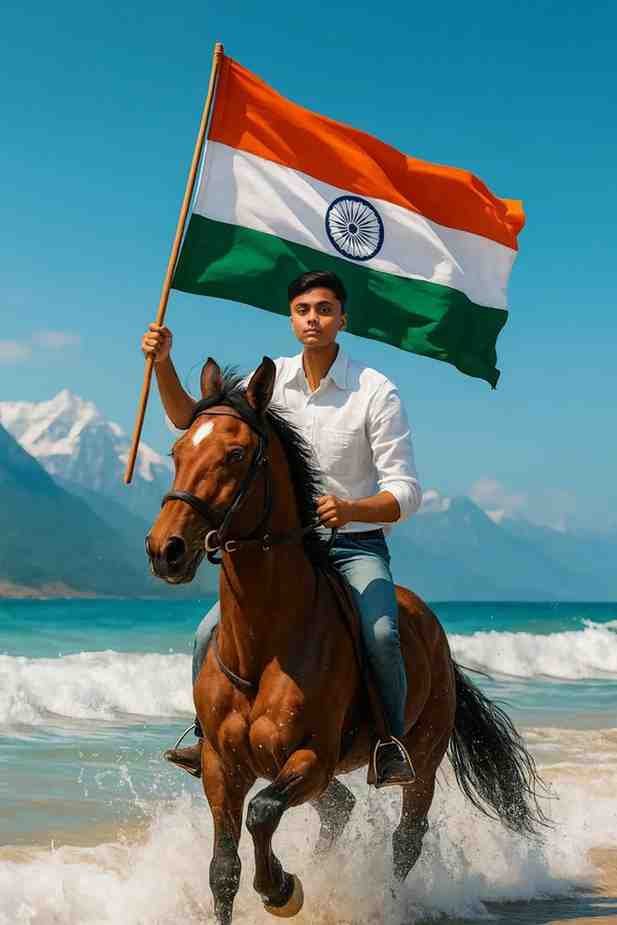
A young man riding a galloping brown horse along the shoreline, holding the Indian national flag (tricolor with Ashoka Chakra) high in the air. He wears a white shirt and blue jeans, with waves splashing around the horse's legs. Majestic mountains rise in the background under a bright blue sky, creating a cinematic, patriotic, and high-energy scene ultra-realistic, 8K detail."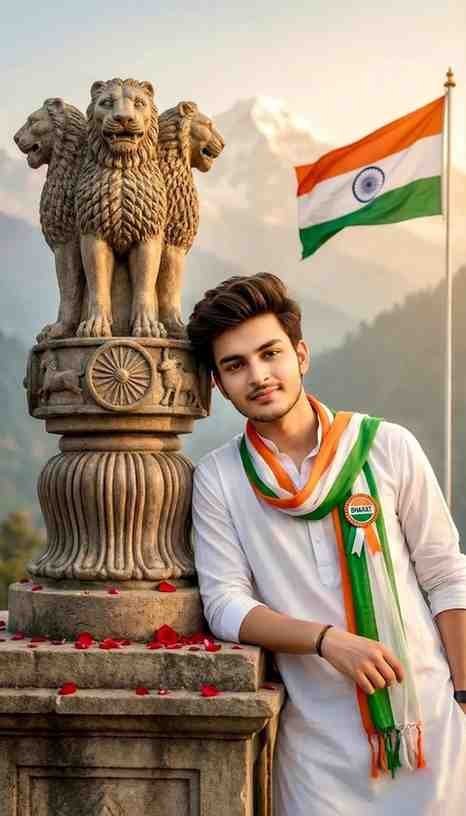
Ultra-realistic cinematic portrait of a young Indian man leaning beside the Lion Capital of Ashoka on a stone pedestal, wearing a white kurta and Indian tricolor scarf with a "Bharat" badge, soft smile, styled hair and light beard.

Red rose petals on the pedestal, Indian national flag waving in the background, misty Himalayan mountains, warm golden-hour lighting, shallow depth of field, patriotic mood, photorealistic, 8K quality.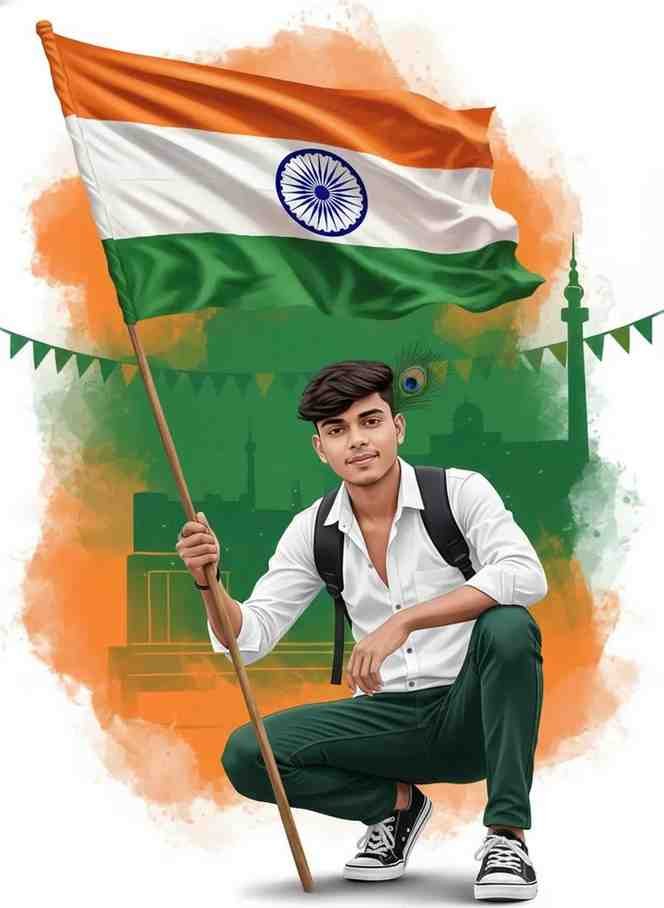
A high-quality, vibrant Indian Republic Day portrait. A young man with light, styled hair and a small peacock feather accent tucked behind his ear. He is wearing a crisp white long-sleeved shirt, green pants, and black and white sneakers. He is in a confident crouching pose, holding a pole with the Indian national flag. He has a black backpack strap across his chest. The background is a creative fusion of saffron, white, and green with 100% match face 8k ultra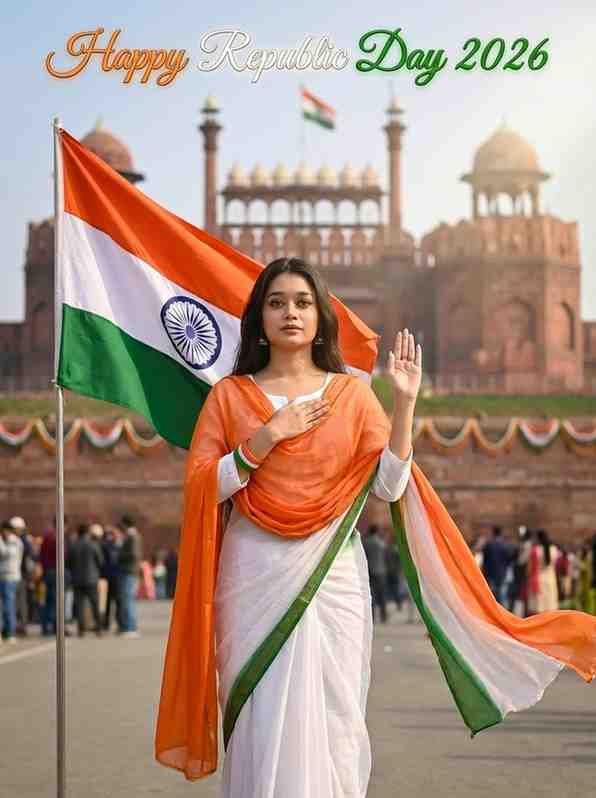
Use the uploaded photo as the only facial reference. Do not modify, beautify, smooth, or regenerate the face. The woman’s face must remain 100% identical to the reference image — exact eyes, nose, lips, jaw, skin texture, and expression. Create an ultra-realistic cinematic Republic Day 2026 portrait of a young Indian woman at Red Fort (Lal Qila), Delhi. SUBJECT & POSE • She stands still in a respectful patriotic stance • Indian tricolor flag planted beside her • Her right hand is raised in a soft oath-taking pose • Left hand rests near her heart • Body facing the flag • Head slightly turned toward camera • Expression: emotional, proud, deeply patriotic FACE & SKIN • 100% same face as uploaded • Natural pores and skin texture visible • No beauty filter • No AI face recreation • Sharp, clean HD facial clarity OUTFIT (TRICOLOR ELEGANCE) • White traditional kurta or saree base • Flowing saffron dupatta • Green accent border or blouse • Fabric detail visible, soft movement FLAG • Large Indian national flag • Realistic fabric folds • Wind-blown motion • Ashoka Chakra clearly visible BACKGROUND • Red Fort architecture clearly visible • Soft Delhi sky • Light patriotic decorations • Gentle crowd blur in far distance BACKGROUND TEXT • Elegant glowing tricolor text “Happy Republic Day 2026” LIGHTING • Soft cinematic daylight • Light rays touching her face • Natural shadow depth • Emotional patriotic glow CAMERA & QUALITY • DSLR cinematic photography • Medium-full body portrait • Shallow depth of field • Ultra-realistic 4K–8K look ASPECT RATIO 3:4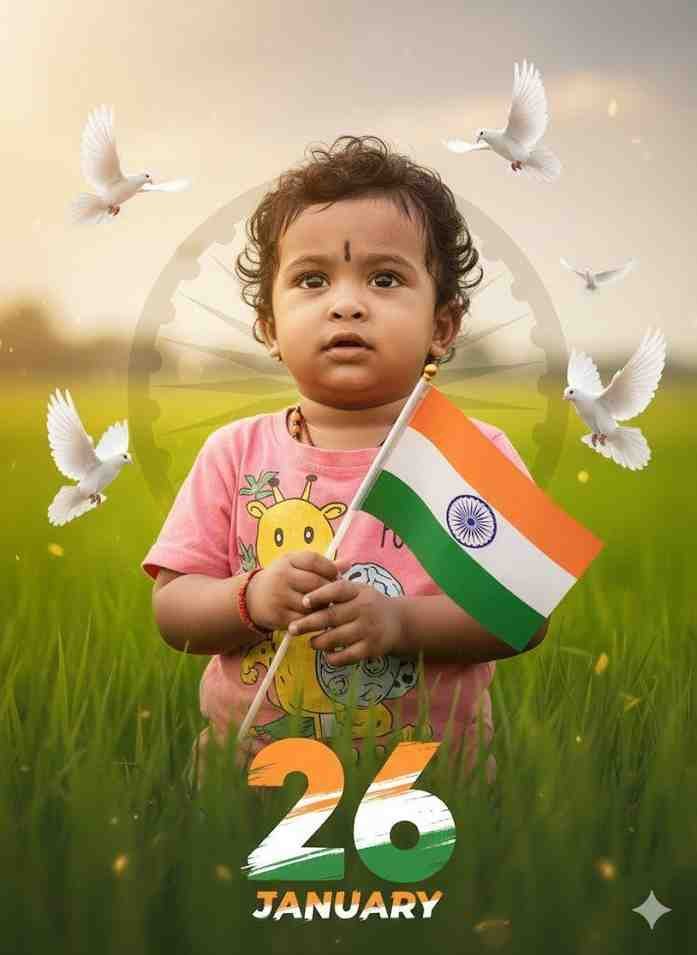
Ultra-realistic patriotic portrait of uploaded Indian kid boy standing on grass, holding the Indian tricolor flag.. Green khet and faded Ashoka Chakra in soft background, flying doves, warm golden-hour cinematic lighting, shallow depth of field, 68K DSLR quality, and large 26 number with three indian flag colour, 'JANUARY' in bottom with stylish font and blur.How To Get 26 January ai photo editing prompt
Are you thinking about where to get these prompts? It is very easy to get them. I have many prompts for you below. There are different prompts for boys, girls, and children. You do not have to spend any money to use the Gemini 26 January photo editing prompt. You just copy the text and use it in the Gemini app. I tried many prompts myself. I brought the best ones for you.
Google Gemini is very smart now. If you use the right words, your photo will look real. I added all the details in these prompts. I added the colors of the flag, the background, and your name. You do not have to write new things. Just put your name in that text. This way, you can make many photos in a short time. This is the best thing about using the 26 January photo editing Gemini prompt.
Step By Step Guide How To Create 26 January Photo Editing
Let us see how to do it step by step. First, copy your favorite prompt from my article. After that, open the Google Gemini app on your phone. If you do not have the app, you can use the browser. You will see a small plus icon inside the Gemini app. Click that option and your phone gallery will open. Select a clean photo of yourself that you want to edit.
When the photo is uploaded, paste the prompt in the message box. Remember to write your own name where it says NAME. Then click the send button. Gemini will make a beautiful photo for you in a few seconds. If you do not like it the first time, you can click send again. Once you learn this, you can make photos anytime you want. It is very easy.
My Personal Experience My problems and solutions
Friends, when I first tried to make these photos, I had some problems. At first, the colors of the flag were not right. Sometimes the hands of the people looked strange. Many times the AI made the wrong photo. I was very scared then. I thought that I could not do it. But I did not give up. I tried again and again. I understood that the problem was in my writing or prompt.
I saw that if we do not tell Gemini everything clearly, it makes mistakes. For example, if I only said give me a photo with a flag, it gave a flag of any country. But when I wrote Indian flag, the photos became perfect. I learned by making mistakes many times. Today, I fixed those mistakes and made the right prompts for you. You will not have any problems. You can make these beautiful photos in one click.
Conclusion
I hope you learned everything about 26 January Republic Day Ai Photo Editing Prompt from this article. I tried to teach you this new tool in very simple language. Now you can make beautiful 26 January photos for yourself or your family. When you share these photos on Facebook, everyone will praise you. If you need more prompts, please tell me.
In the end, I say do not be afraid of technology. It is here to make our work easy. Use my prompts and tell me what you think. I wish you all a very Happy Republic Day. If you give me love and support, I can bring more good things for you.
FAQ
Question 1: Is Gemini AI completely free?
Answer: Yes, you can use the free version of Google Gemini to edit your photos nicely.
Question 2: Can I add my name in the photo?
Question: Is it possible to do this from a mobile phone?
Question 3: Is it possible to do this from a mobile phone?
Answer: Yes, you can do this easily from your Android or iPhone using the Gemini app or browser.
Question 4: What are the benefits of Gemini Pro plan?
Answer: If you take the Pro plan, you can make high quality photos very fast.
Pingback: 100+ Gemini Ai Photo Prompt Copy Paste Trending Boy and Girl