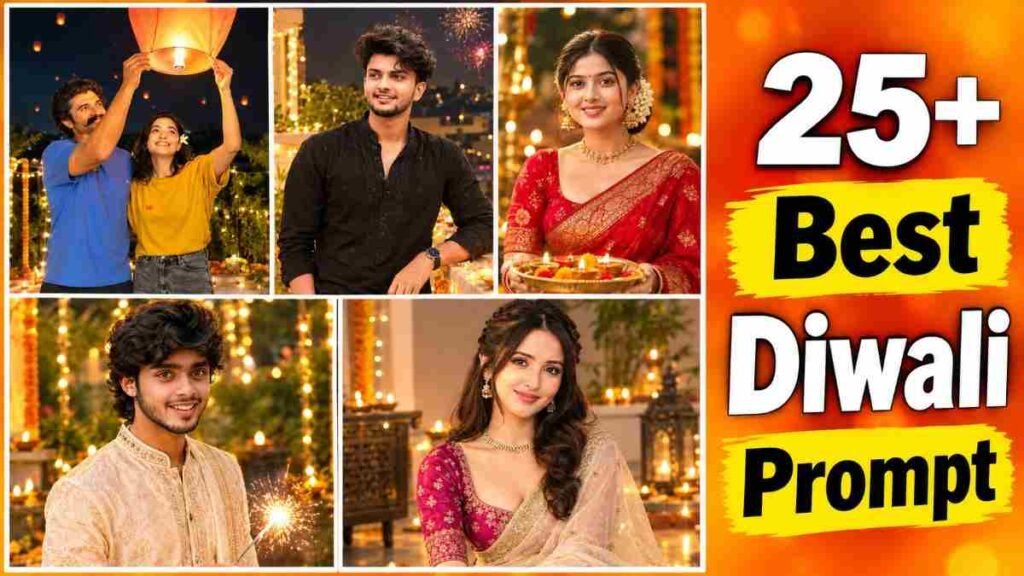
Diwali is coming in a few days, and everyone has only one talk on their phone, where can I find a Diwali photo editing prompt? When I open Instagram, I see nice dressed up pictures of others, but when I try to make them myself, it is hard. I do not know which prompt to write. Even when I write, the face looks different. Some people leave phone apps and give up. Has this happened to you too? If yes, then you are not alone.
Do not worry. In this writing, I am explaining everything from the start. Which app to do what in, how to write a prompt, where mistakes happen, and how to fix them if they happen, you will get everything. If you have a good Diwali photo editing prompt in hand, you can make a nice picture using your phone in a few minutes. You do not need to know editing.
In this writing, you will get when Diwali is, what is its relation with Kali Puja, what things are needed, making pictures step by step in Gemini, rules of writing your own prompt, comparison of Gemini and ChatGPT, what to do and what not to do, solution to normal problems, and my own experience. It will be useful for boys, girls, kids, and big people.
I learned by making many mistakes myself. This writing is to save you from those mistakes.
What Is a Diwali Photo Editing Prompt
First let us understand the word prompt. Prompt means a small instruction written for the computer. Like you tell the tailor, put a red border on this cloth. In the same way, we write and tell the AI, put a red saree on my picture. This writing is the prompt.
Now let us come to Diwali talk. The writing instruction to change your picture into Diwali or Kali Puja dress is the real meaning of Diwali photo editing prompts. You will give your picture, and with this, you will give this writing. AI will put lamps, light, new clothes, and festival environment in that picture.
Why is everyone making it now? Because Diwali is very near. Every year at this time, the habit of giving your dressed up pictures on Instagram and WhatsApp status increases. There is no time to go to the studio, and there is cost too. So everyone is finishing the work by putting a Diwali photo prompt on the phone.
When Is Diwali 2026 Date
This year Diwali is on November 8, Sunday. On that day evening, Lakshmi and Ganesha are worshipped, and earthen lamps are lit in every house.
In our West Bengal, this night is Kali Puja. Mother Kali is worshipped on the dark night of Amavasya. So if you are a Bengali person, you will take pictures, meaning make them, in Kali Puja dress on the night of November 8.
The day before, November 7, is Choti Diwali. In Bengal, we call it Bhut Chaturdashi. And two days after Kali Puja, November 10, is Bhai Phonta. All three days are days for getting dressed up.
Remember one thing. The date of Diwali is the same across the country, but the exact time of puja can be a little different city by city. To know the time of puja, check the calendar of your area.
I think the best time to post pictures is November 7 to 9. At that time, everyone searches for and sees Diwali pictures.
Why Is Diwali Celebrated in India
Behind why Diwali is celebrated, there is an old story. It is said in Ramayana that Lord Ramachandra was in exile for fourteen years. The day he came back to Ayodhya after defeating Ravana was a dark night of Amavasya. The people of Ayodhya lit clay lamps in every house to light the path. From that time, this festival of lights is here.
In North India, on this day, Goddess Lakshmi of wealth is worshipped. Businessmen open new books. Houses are cleaned and rangoli is drawn, sweets are shared, and in the evening everyone wears new clothes and lights lamps.
In our Bengal, the story is a little different. Here on this night, Mother Kali is worshipped. Mother ends bad power, removes fear and darkness from inside the mind. The custom of lighting fourteen lamps is there on the previous night, and on the puja night, the whole neighborhood wakes up with the sound of firecrackers.
In all, the talk is one. Victory of light over darkness, victory of good over bad. So at this time, pictures of light, dress, and happiness are loved by everyone.
What You Need Before You Start Tools and Photo Requirements
To make this picture, you do not need big things. When I first did it, I thought maybe I need an expensive phone or some app. I did not need anything.
First you need an internet connection. Mobile data is fine, Wi Fi is better, because pictures take some time to upload.
Second, a mobile or computer. Install the Gemini app on your phone. On a computer, it happens in the browser.
Third, a Gmail account. Logging in with that starts the work. If you do not have an account, you can make a new one, there is no cost.
And the most needed thing is a clear picture. It will be taken from the front, there will be good light on the face, the picture will not be blurry. If there is a reflection on glasses or the face is covered with hands, AI gets confused. I have seen that the cleaner the picture, the better the result. If you get a good picture, any Diwali photo prompt works nicely.
How to Make a Diwali AI Photo Step by Step
Look, the method to make this kind of picture is very short. I tried to tell you in very simple words. Match the steps below one by one. There is no money needed at the start.
- Install the Gemini app from phone Play Store or App Store. If you do it on a computer, open gemini google com in the browser.
- Log in with your Gmail account.
- Copy the prompt of the picture you like from the prompts below this writing.
- Click on the plus sign near the writing box in the Gemini app.
- Choose the gallery option from there. Then upload the clear picture you want to edit.
- Now paste the copied prompt in the writing box.
- Press the send button.
- Wait a few seconds. When the picture is made, press and hold the picture and save it to the phone gallery.
Following this easy method, your picture will be made in one click. By using this method with any Diwali Photo Editing Prompt, Diwali pictures of boys, girls, kids, and big people can be made.
If you do not like the result the first time, do not get scared. Send again and see, or change one or two words of the prompt. I also took two or three times many times.
How to Write Your Own Diwali Photo Editing Prompt (Prompt Formula)
Suppose, you do not want to take a ready prompt and want to write in your own way. There is no hard rule. Write clearly what you want. Exactly the way you explain to a friend.
I usually write six things. Who is in the picture, what clothes to wear, where to stand, how the light will be, how the mood will be, and which thing will not change at all. The last one is the most important. If you do not write the words keep my face exactly the same, the face can change.
See an example.
Edit my uploaded photo into a Kali Puja night portrait. I am wearing a red saree with a golden border, standing near clay diyas. Warm soft light, happy smile. Keep my face, skin tone and hairstyle exactly the same. Realistic photo.
Do not ask for many things at once. If you want two or three changes in one picture, the result comes out well. If you want ten things, AI gets confused itself. Even if you write in Bengali, Gemini understands, but in my experience, writing in English gets a little more result.
25+ Best Diwali Photo Editing Prompts (Copy Paste Ready)
Now the main thing. The prompts arranged for boys, girls, kids, and big people are given below. Whichever you like, copy and use it by the method above.
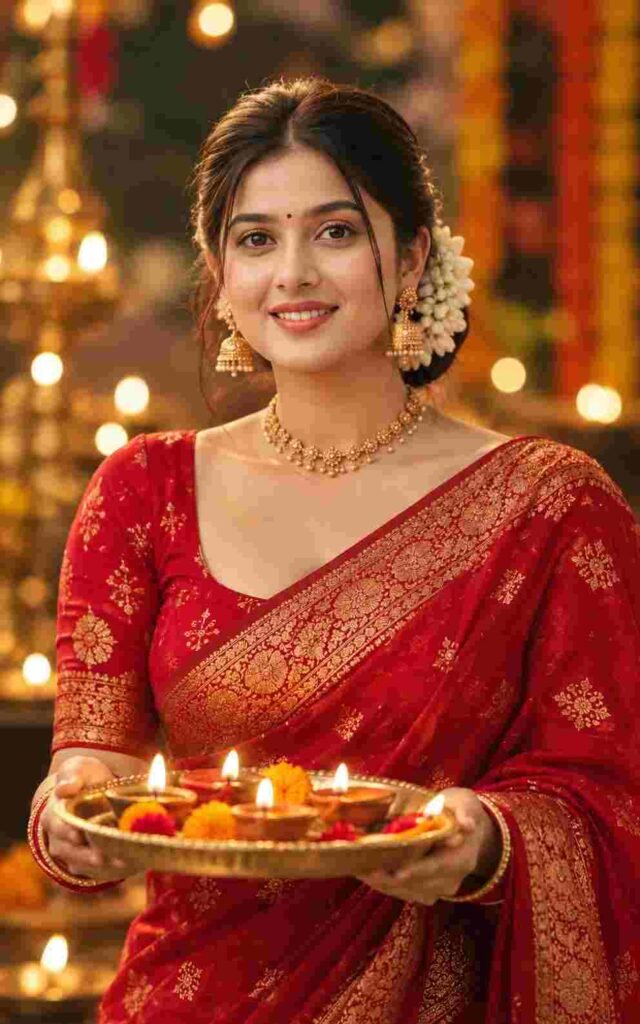
Create an ultra-realistic, high-detail cinematic portrait of a beautiful young Indian woman wearing a traditional red saree adorned with intricate golden embroidery. She is holding an elegant brass thali filled with glowing, lit diyas, their warm golden light softly illuminating her face. Her expression is serene and naturally smiling, with expressive eyes, traditional gold jewelry, and beautiful white flowers delicately arranged in her hair bun. The rich red saree and golden accessories create a stunning festive appearance. The background features softly blurred decorative lights and warm bokeh, creating a magical Diwali evening atmosphere. Use soft, flattering cinematic lighting, natural skin texture, realistic fabric details, rich vibrant colors, and a peaceful, elegant festive mood. Professional photography, shallow depth of field, beautifully balanced composition, and photorealistic quality.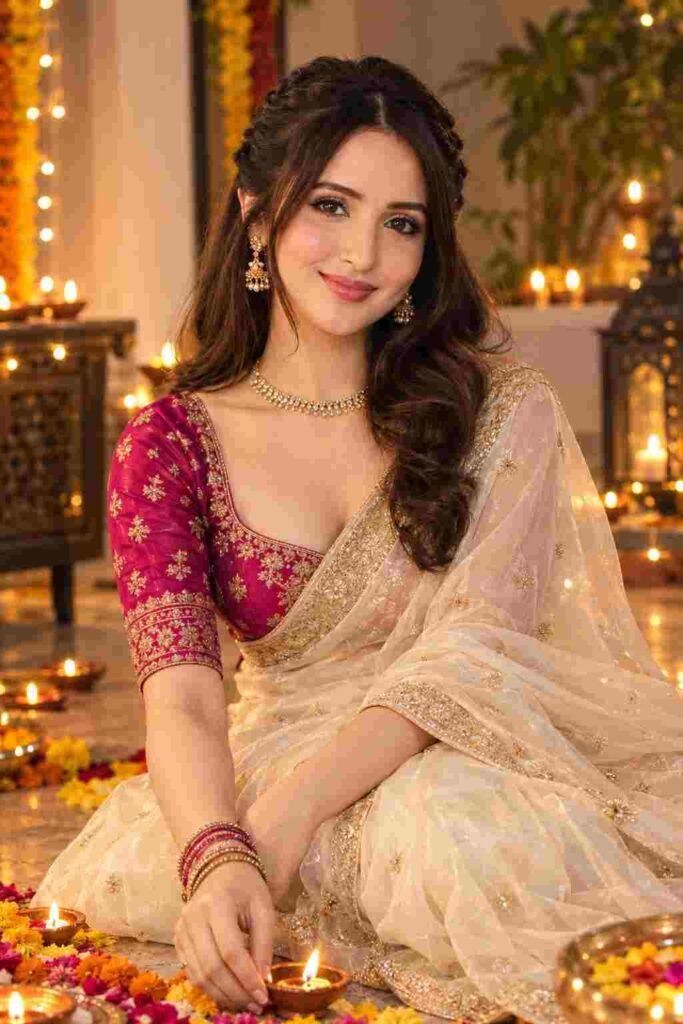
Create a high-resolution, ultra-realistic, candid cinematic portrait of a beautiful 24-year-old Indian woman sitting gracefully on the floor during a festive Diwali celebration. She is dressed in an elegant cream/off-white sheer organza saree featuring delicate golden embroidered borders, paired with a vibrant deep magenta-pink elbow-length blouse adorned with intricate gold zari work. The saree drapes naturally around her, showcasing its lightweight, luxurious texture and exquisite craftsmanship.

Her posture is graceful and relaxed, with a gentle, natural smile that captures the warmth and happiness of the festive occasion. Complement her traditional outfit with elegant gold jewelry, subtle festive makeup, and beautifully styled hair for a sophisticated ethnic look.

The setting features glowing clay diyas, warm golden fairy lights, and softly blurred festive decorations that create a magical Diwali atmosphere. Gentle golden light illuminates her face and outfit, highlighting the intricate embroidery and delicate fabric details. Use cinematic lighting, natural skin texture, realistic shadows, a shallow depth of field, and beautiful golden bokeh in the background.

Capture the scene with professional DSLR photography aesthetics, sharp facial details, rich yet natural colors, balanced composition, and exceptional photorealism. The final image should feel like a premium festive fashion photoshoot with a warm, elegant, and authentic Indian Diwali mood.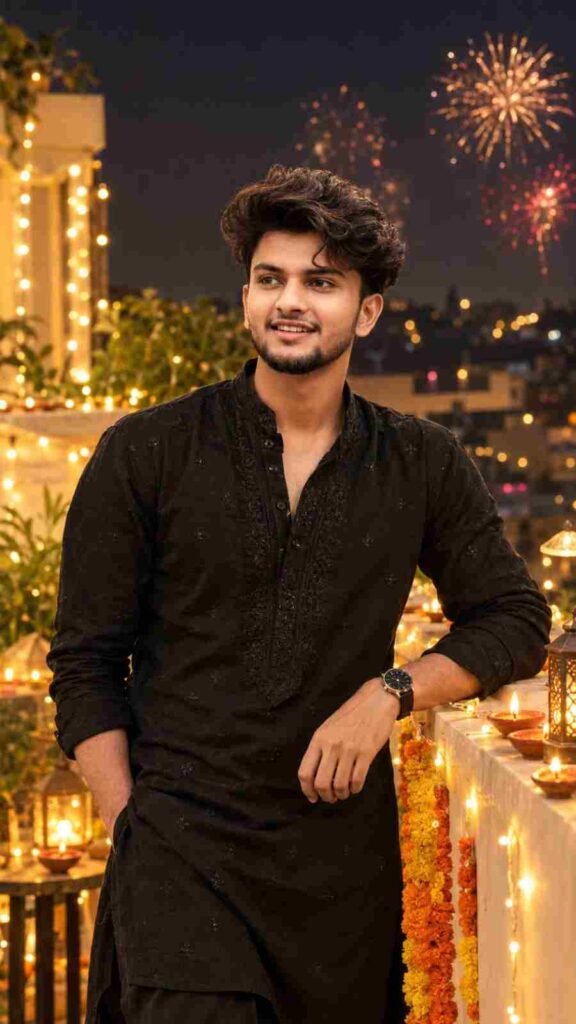
Transform the uploaded reference photo into an ultra-realistic, premium Diwali night photoshoot while preserving the exact facial identity, original facial features, natural skin tone, hairstyle, and body proportions. Do not change, beautify, reshape, or retouch the face. Keep the person completely recognizable and maintain realistic skin texture.

Style the subject in a perfectly fitted, elegant black kurta featuring subtle, sophisticated embroidery, paired with a classy wristwatch for a refined festive look. Pose him naturally with a confident, effortless attitude and relaxed body language.

Set the scene on a beautifully decorated rooftop during Diwali night, surrounded by glowing traditional clay diyas, warm golden fairy lights, and elegant festive decorations. Add soft golden bokeh in the background, with colorful distant fireworks illuminating the dark night sky. The warm glow of the diyas should create natural highlights and soft shadows, enhancing the festive atmosphere without altering the subject's original appearance.

Use premium cinematic lighting, realistic fabric textures, detailed embroidery, natural shadows, balanced exposure, and a shallow depth of field. Capture the image with professional DSLR photography aesthetics, sharp facial details, rich black tones, warm golden highlights, and lifelike colors. Maintain a sophisticated, luxurious, and authentic Indian festive atmosphere.

Final result: A stunning, photorealistic Diwali rooftop portrait with premium editorial quality, natural facial details, realistic lighting, and an elegant festive mood.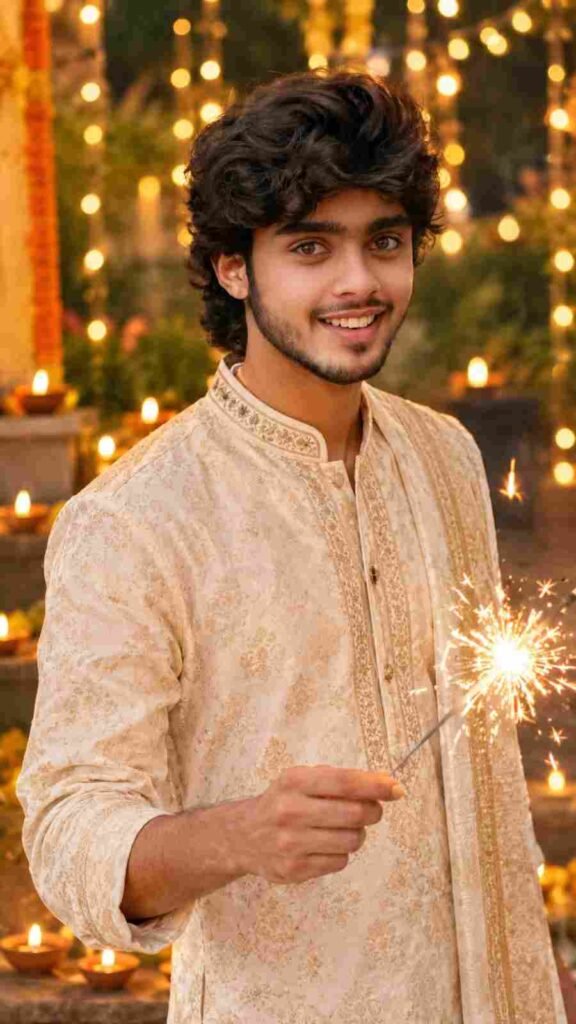
Use the uploaded photo as the ONLY facial reference and preserve the face exactly as it is (100% identical facial features, natural skin tone, original expression, and realistic skin texture). Do not beautify, reshape, retouch, or alter the person's identity in any way.

Create an ultra-realistic, cinematic 8K portrait of a handsome young Indian man dressed in an elegant traditional sherwani or kurta, standing outdoors on a beautiful Diwali night. He is holding a sparkling phooljhadi (handheld sparkler) in one hand, creating a magical shower of golden sparks that illuminate his face and outfit with a warm, festive glow. The background features beautifully arranged golden fairy lights, glowing clay diyas, and soft golden bokeh, creating a vibrant and authentic Indian festive atmosphere. His pose is natural and confident, with a gentle, genuine smile. Use warm cinematic lighting, realistic fabric textures, intricate traditional embroidery, natural shadows, shallow depth of field, and rich festive colors. Maintain sharp facial details, lifelike skin texture, professional DSLR photography quality, and a beautifully balanced composition. The final image should look like a real photograph captured during a festive Diwali celebration, with exceptional realism and elegant cinematic aesthetics.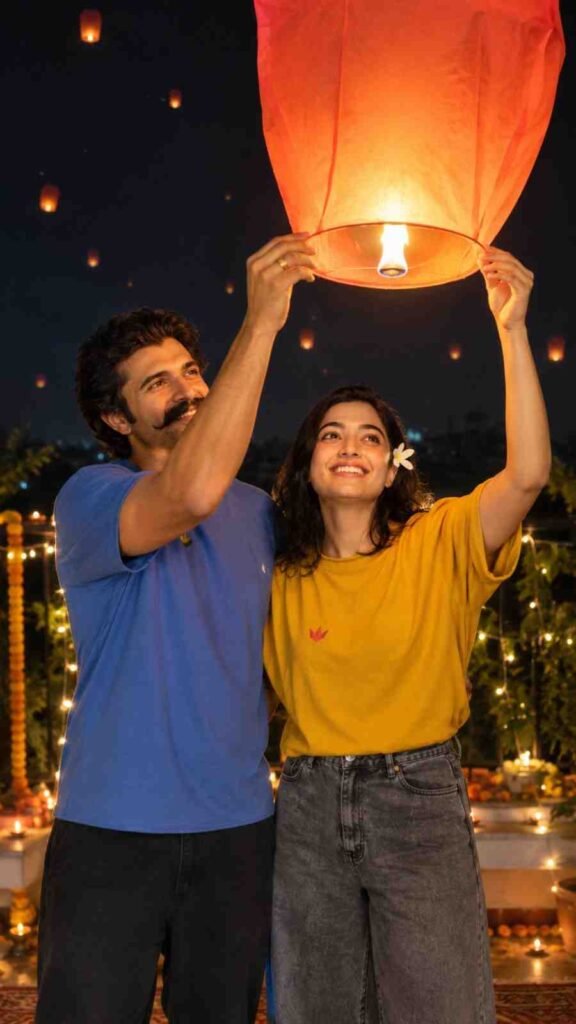
Create an ultra-realistic, cinematic vertical 9:16 photograph of a young Indian couple celebrating Diwali together at night in a beautiful outdoor setting. The couple is releasing a glowing orange-red sky lantern into the night sky, creating a romantic, festive, and magical atmosphere.

Boy's Appearance: A handsome young Indian man with naturally wavy, voluminous dark brown hair, a clean-shaven face, realistic skin texture, and a slim, natural physique. He is dressed in an elegant traditional Indian kurta with a sophisticated festive look. His expression is warm and natural as he gently holds the sky lantern with his partner.

Girl's Appearance: A beautiful young Indian woman with naturally styled dark hair, realistic skin texture, and a graceful appearance. She wears an elegant traditional saree with delicate embroidery and matching festive jewelry. Her expression is soft and joyful as she looks at the glowing lantern while holding it together with the boy.

Pose and Composition: The couple stands close together, naturally holding the lower frame of the glowing sky lantern with both hands raised gently. Their expressions and body language convey happiness and togetherness. Capture them in a candid, unposed moment, with the glowing lantern positioned above and between them as the main visual focus.

Background and Atmosphere: A beautifully decorated outdoor setting illuminated by traditional clay diyas, warm golden fairy lights, and softly glowing festive decorations. Several distant orange and golden sky lanterns float gently across the night sky, adding depth and a dreamy Diwali atmosphere. Subtle golden bokeh lights enhance the cinematic background without distracting from the couple.

Lighting and Photography: The warm orange-red glow from the lantern softly illuminates the couple's faces, creating realistic highlights and gentle shadows. Use professional DSLR photography, natural skin tones, detailed fabric textures, shallow depth of field, cinematic color grading, balanced exposure, and lifelike lighting.

Image Quality: Ultra-realistic photography, exceptional facial details, sharp focus on the couple, realistic hands and fingers, rich festive colors, natural body proportions, premium cinematic composition, and high-resolution 8K visual quality.

Final Result: A breathtaking, photorealistic Diwali couple portrait capturing a beautiful moment of celebration beneath a glowing sky lantern, with a warm, magical, and authentic Indian festive atmosphere.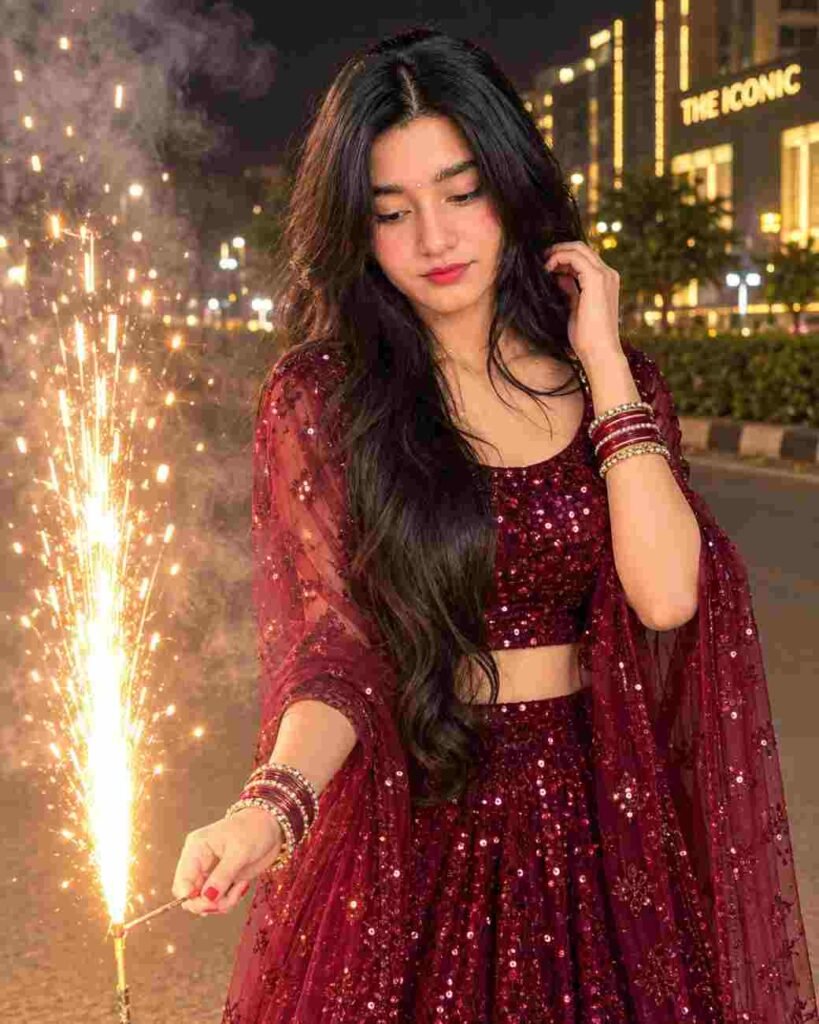
A cinematic nighttime portrait of a young woman standing on an open road beside a lit ground firework sparkler, captured in a 4:5 vertical composition. The subject is posed naturally, looking down towards the glowing sparkler with a calm, thoughtful expression. She has long, wavy, dark hair cascading over her shoulder, and wears an elegant deep maroon sequined lehenga with a sparkling crop blouse and draped dupatta, creating a festive and luxurious look. Warm golden sparks burst upwards from the firework, casting a soft, flattering glow on her face, hair, and attire, with smoke adding a dreamy, atmospheric layer. The background features a blurred city night scene with tall illuminated buildings, warm lights, and a visible "THE ICONIC" on the distance, adding…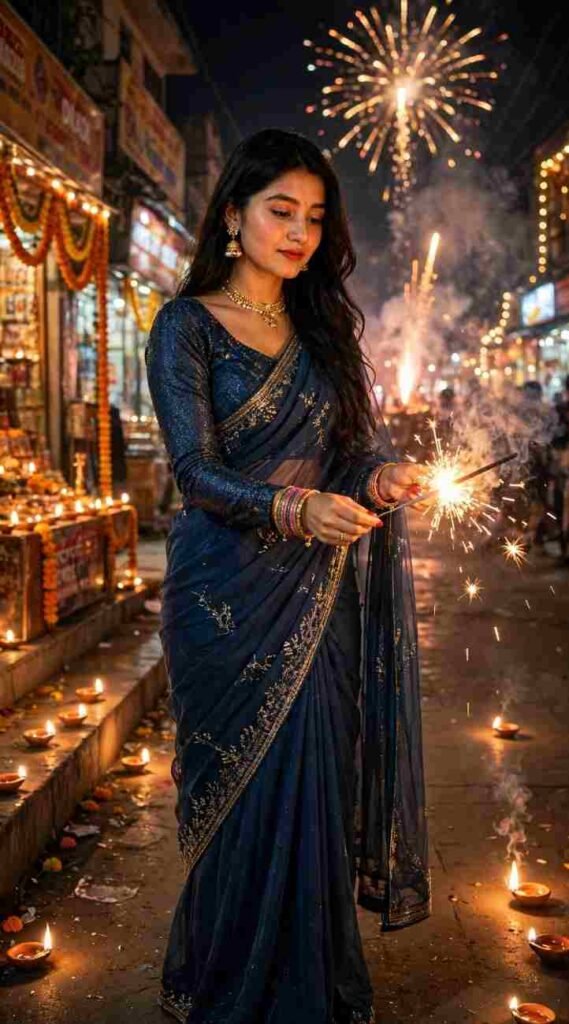
Use 100% of my original face from the reference photo. Create an ultra-realistic full-body DSLR portrait of a woman with natural dark brown wavy hair and festive makeup, lighting a phuljhari on a Diwali night street. She wears a dark sky-blue shimmery full-sleeve blouse and matching chiffon saree, with a gold choker and earrings. Glowing diyas, fireworks, golden sparks, and cinematic smoke create a magical festive atmosphere. (Actual: 1.2), (Realism: 1.37), Ultra HD, DSLR, cinematic lighting, volumetric effects.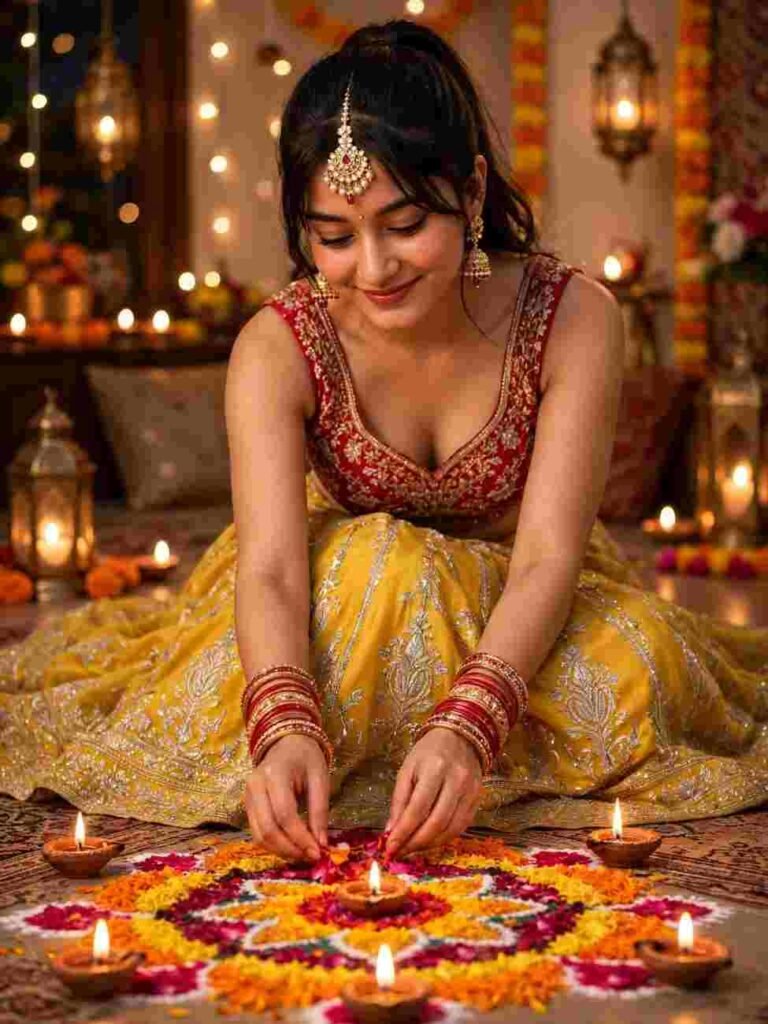
Create an ultra-realistic 8K portrait using 100% of the original face. She wears a beautiful yellow lehenga with silver embroidery, a red embroidered sleeveless blouse, elegant maang tikka, jhumkas, and red-gold bangles. Her hair is in a high ponytail with soft bangs. Sitting gracefully, she arranges colorful rangoli flowers and lights diyas. Warm fairy lights, glowing lanterns, festive decorations, cinematic lighting, DSLR quality, photorealistic, 3:4 aspect ratio.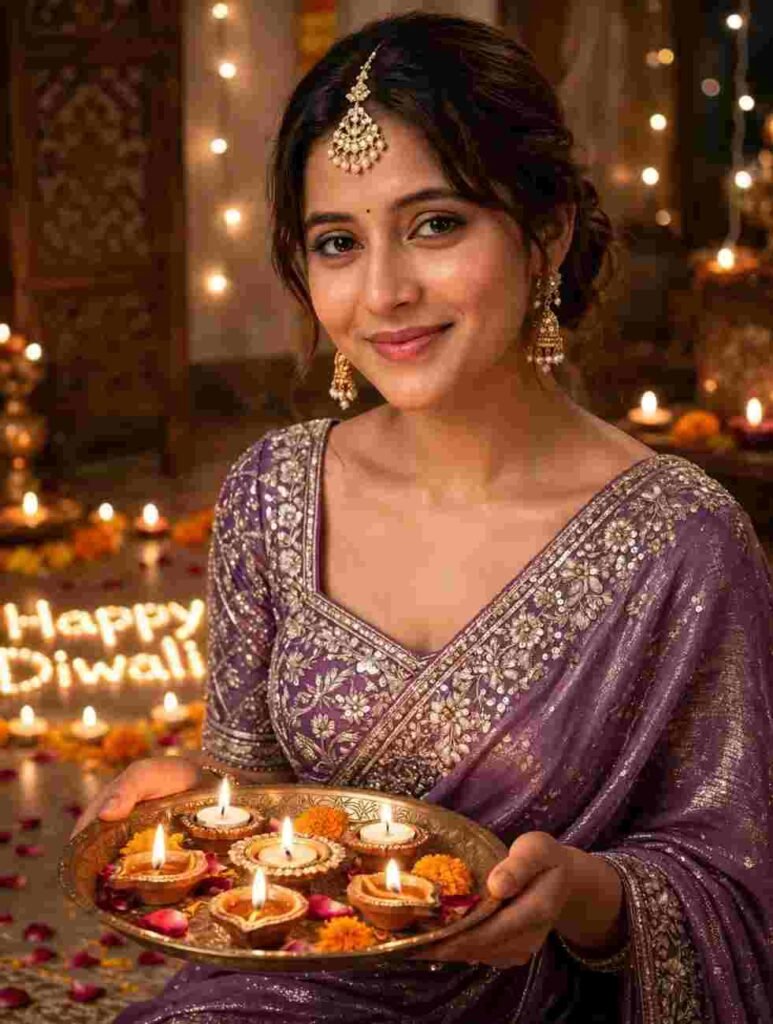
An elegant Indian woman celebrating Diwali, dressed in a beautiful shimmering purple saree with intricate embroidery sequins and heavy embroidery square neck blouse.With gold long earings and chanderi mangtika.She is sitting gracefully,holding a decorated brass thali filled with lit diyas in both hands,head slightly tilted,gentle smile,expressive eyes looking towards the camera. wavy loose bun styled hair with bangs. In floor a glowing fairy lights, candles make"Happy Diwali"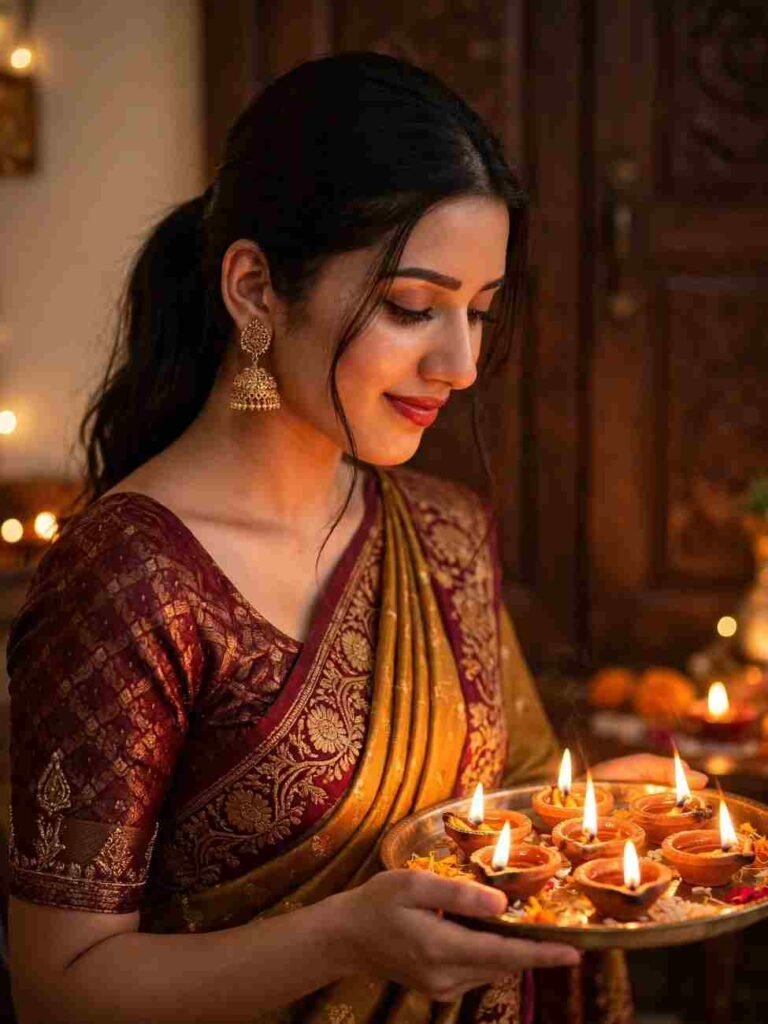
Create an ultra-realistic 4K Diwali portrait using 100% of the original face from the reference photo. She wears a mustard-gold and deep maroon saree with intricate golden embroidery, antique gold jhumkas, and subtle festive makeup. Her black hair is tied in a low ponytail with soft face-framing strands. In a graceful side-profile pose, she looks down at a metal puja thali filled with glowing diyas, with a gentle smile. Warm golden diya lighting, cozy indoor setting, dark wooden background, cinematic shadows, beautiful bokeh, natural skin texture, DSLR photography, shallow depth of field, anatomically accurate hands and facial features, photorealistic, vertical 3:4 composition.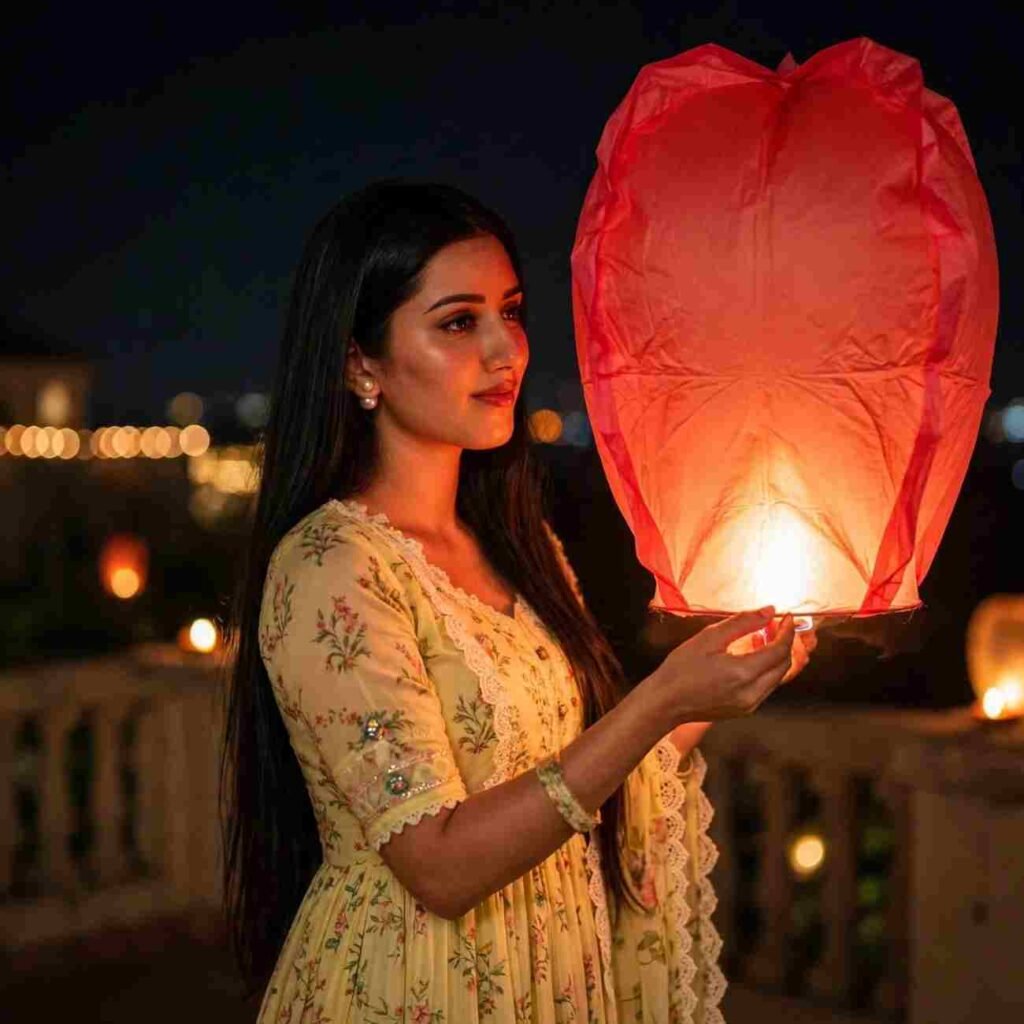
Create an ultra-realistic close-up portrait using 100% of the original face from the reference photo. She has long, straight dark hair and wears a beautiful light-yellow floral Anarkali dress. She gently holds a large glowing red Kongming sky lantern on a terrace at night. The warm orange lantern light softly illuminates her face, with a dark night sky, dreamy bokeh, cinematic lighting, magical Diwali atmosphere, natural skin texture, DSLR quality, photorealistic, ultra-detailed, 4K resolution.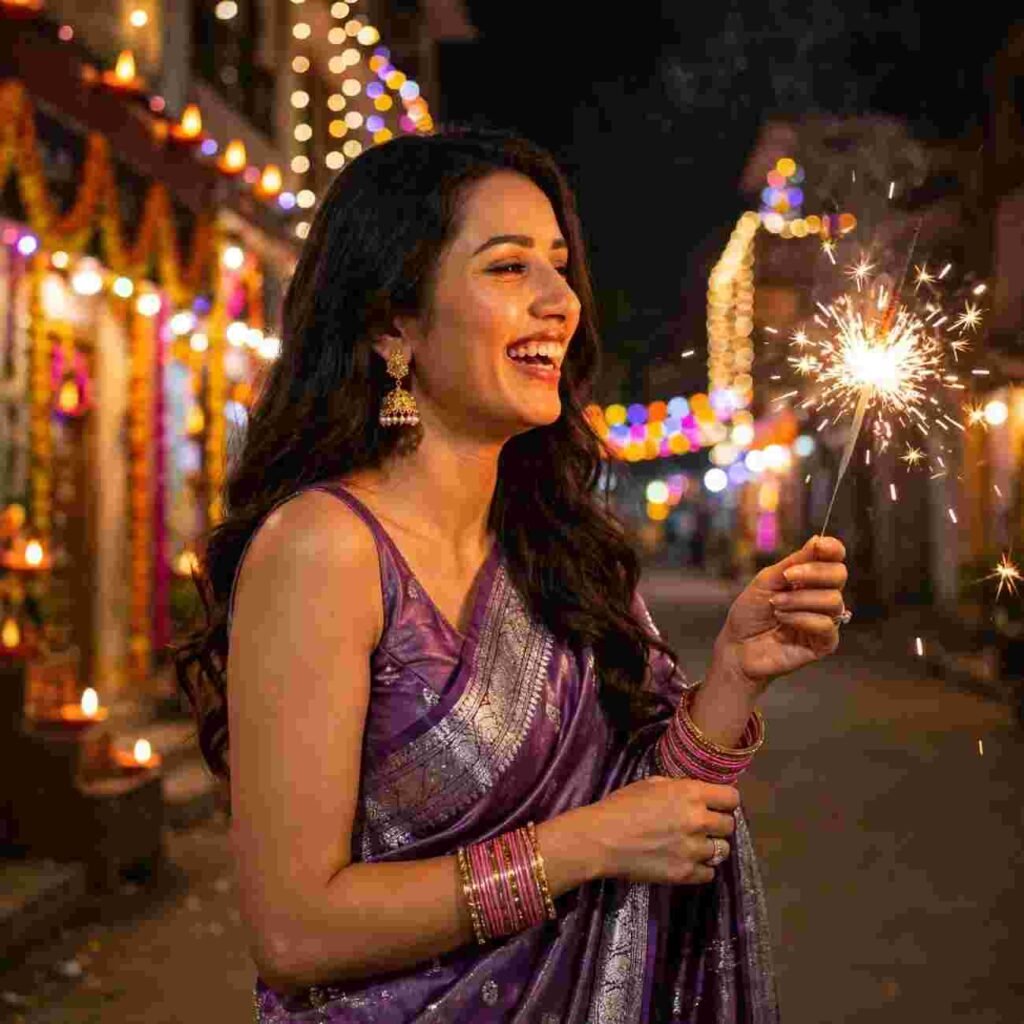
A beautiful young Indian girl in a shimmering purple saree with silver border, long wavy hair, traditional jhumka earrings, holding a bright burning phuljhadi sparkler in her hand, standing on a street at Diwali night, candid laughing side profile, background building decorated with colorful Diwali fairy lights, low light photography, warm glow on face, bokeh, ultra realistic, 8k, phone flash aesthetic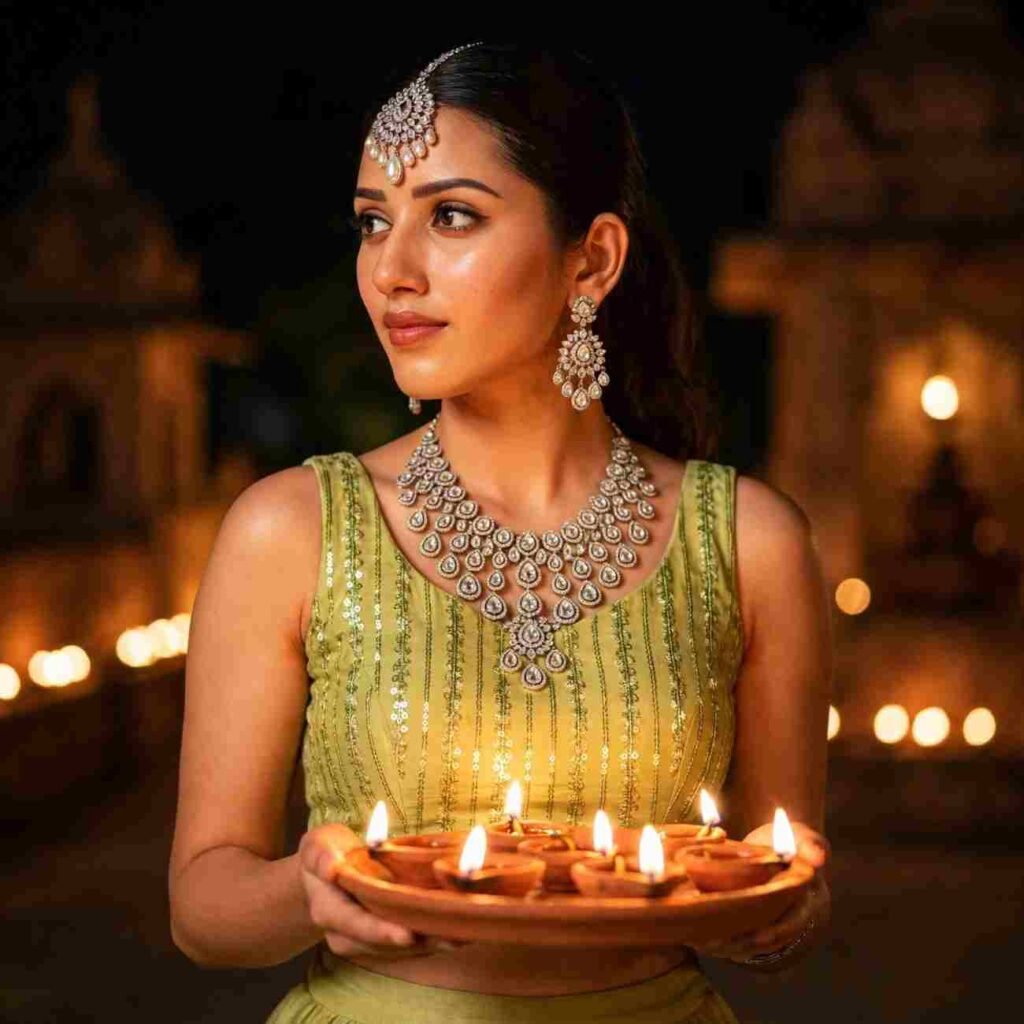
Create an ultra-realistic waist-up portrait of a young woman using 100% of the original face from the reference photo. She looks gracefully to her left while holding a terracotta tray filled with glowing diyas, casting a warm golden light on her face. She wears a lime-green sleeveless choli with vertical sequin embroidery and a matching skirt, paired with exquisite silver diamond jewelry, including a maang tikka, dangling earrings, and a heavy teardrop-pattern necklace. Festive Diwali atmosphere, elegant pose, natural skin texture, intricate outfit details, cinematic lighting, DSLR quality, photorealistic, ultra-detailed 4K.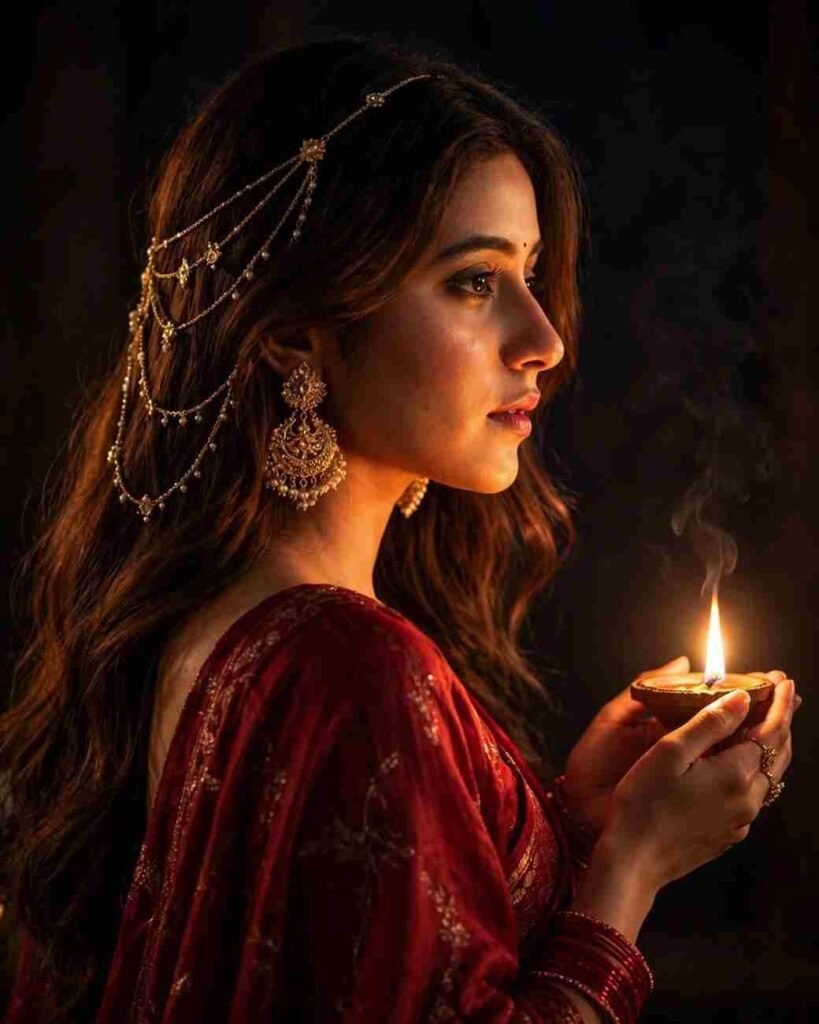
Create an ultra-realistic cinematic portrait of a young woman using 100% of the original face from the reference photo. She wears a flowing deep-red traditional saree, photographed from behind in a graceful side-profile pose, holding a glowing diya in her hands. Warm golden light softly illuminates her face, fingers, and hair against a dramatic dark background. She is adorned with ornate golden jhumkas, delicate hair chains, red bangles, and elegant rings. Mysterious festive mood, dramatic shadows, rich textures, cinematic lighting, natural skin details, DSLR quality, photorealistic, ultra-detailed 4K.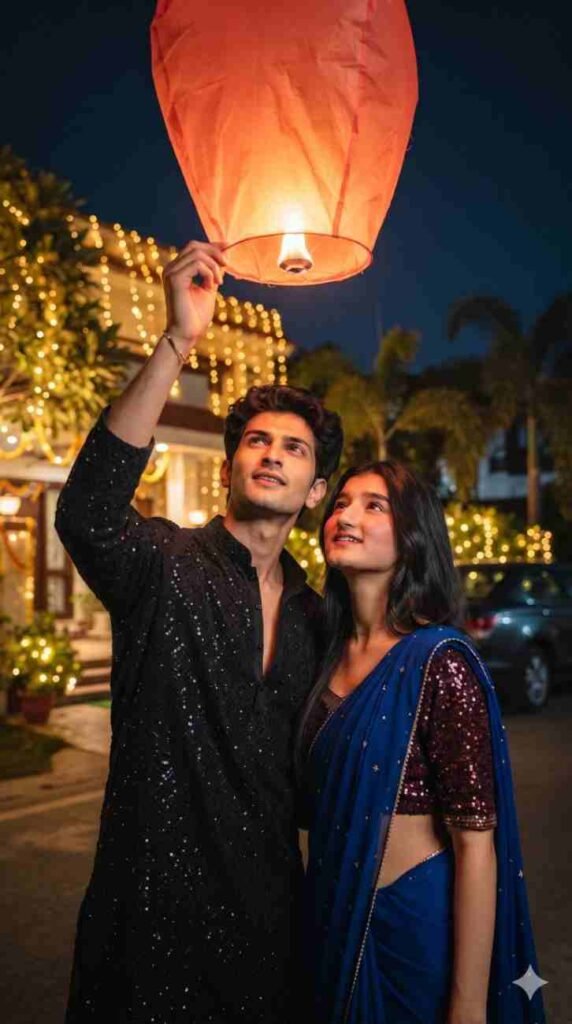
Create an ultra-realistic 9:16 Diwali couple portrait using 100% of both original faces from the reference photos. A young Indian couple stands close together, releasing a glowing orange-red sky lantern at night. The boy wears a black sequin-embroidered kurta, while the girl wears a royal-blue saree with golden details and a maroon sequined blouse. Both look up at the lantern with romantic smiles. A beautifully decorated Indian home, fairy lights, illuminated trees, and a deep navy night sky create a magical festive atmosphere. Warm cinematic lighting, golden bokeh, natural skin texture, realistic hands, DSLR photography, 85mm lens, shallow depth of field, HDR, photorealistic 4K. No distortion, extra fingers, text, or watermark.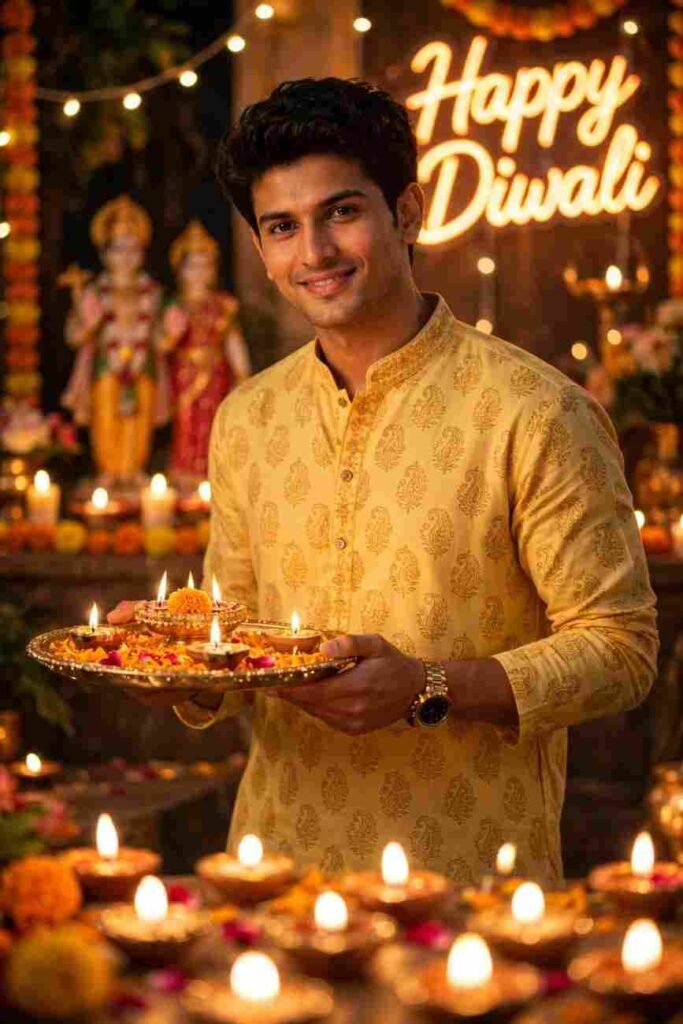
Create an ultra-realistic Diwali portrait using 100% of the original face and hairstyle from the reference photo. A slim, 16-year-old Indian boy wearing a yellow printed kurta stands gracefully, holding a decorated brass thali filled with glowing diyas in both hands. His head is slightly tilted, with a gentle smile and expressive eyes looking at the camera. The background features warm fairy lights, candles, a softly blurred Ram-Sita idol, and glowing neon “Happy Diwali” signage. Beautiful diya bokeh in the foreground, cinematic golden lighting, natural skin texture, DSLR quality, photorealistic, ultra-detailed 4K.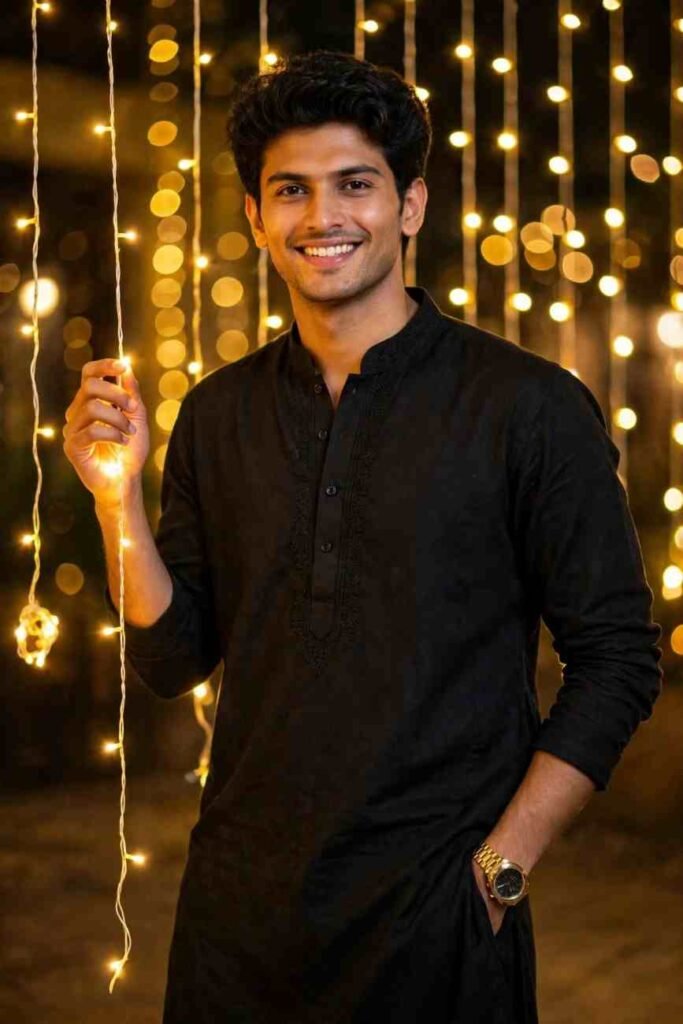
Create an ultra-realistic cinematic Diwali portrait using 100% of the original face and hairstyle from the reference photo. A handsome young Indian man wearing an elegant black kurta stands confidently in front of a wall decorated with glowing golden fairy lights. He smiles naturally at the camera, with one hand casually in his pocket and the other gently holding a strand of lights. Warm golden illumination, dreamy bokeh background, festive atmosphere, natural skin texture, professional DSLR photography, shallow depth of field, photorealistic, ultra-detailed 4K.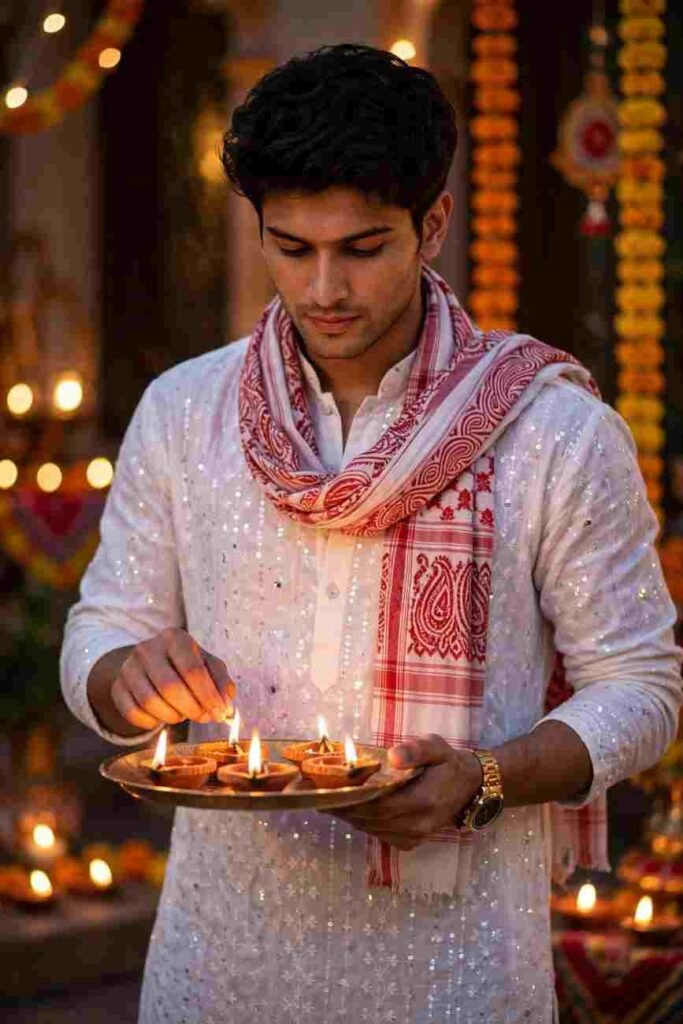
Create an ultra-realistic Diwali portrait using 100% of the original face from the reference photo. A young Indian man with dark styled hair and a light beard wears an elegant white sequin kurta with a red-and-white patterned scarf. He holds a brass plate filled with glowing earthen diyas, gently adjusting a flame while looking down with a calm expression. Warm golden diya lighting, festive atmosphere, natural skin texture, cinematic shadows, professional DSLR photography, photorealistic, ultra-detailed 4K. Preserve the exact facial identity.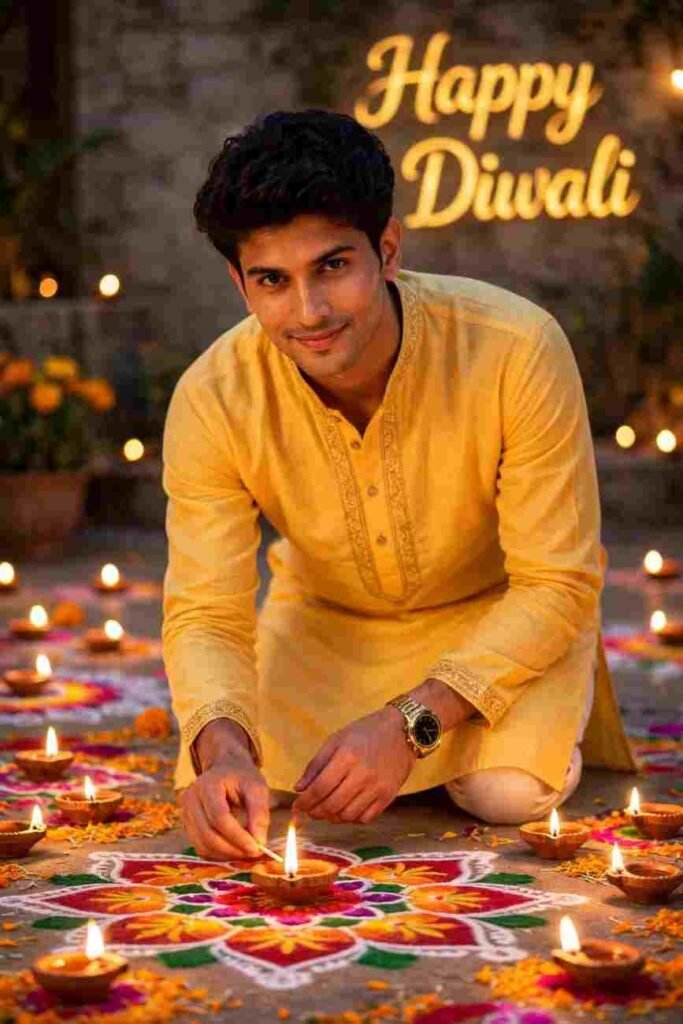
Create an ultra-realistic Diwali portrait using 100% of the original face from the reference photo. A young Indian man wearing an elegant yellow kurta gracefully bends down to light a glowing diya, with a gentle smile while looking directly at the camera. Beautifully scattered diyas illuminate colorful rangoli patterns, creating a warm golden festive glow. A softly blurred background features elegant golden “Happy Diwali” lettering. Cinematic lighting, natural skin texture, DSLR photography, photorealistic, ultra-detailed 4K.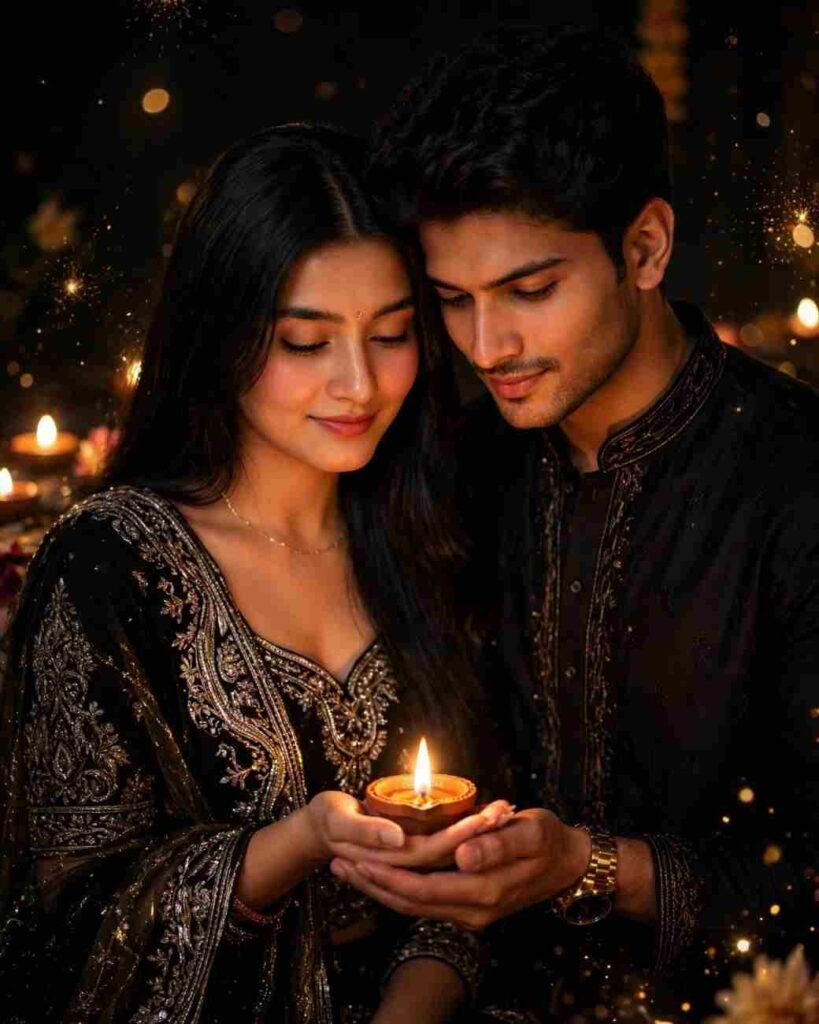
Create an ultra-realistic vertical Diwali couple portrait using 100% of both original faces from the reference photos. The couple stands closely together, gazing lovingly at a glowing diya resting in the woman's open palm. The woman wears an elegant black ethnic outfit with intricate gold and silver embroidery and a sheer embellished dupatta, while the man leans gently beside her. Both have soft, peaceful smiles. Dark cinematic background, warm amber candlelight, golden sparkles, dramatic shadows, luxurious festive atmosphere, natural skin texture, professional DSLR photography, photorealistic, ultra-detailed 4K.Gemini vs ChatGPT vs Midjourney: Which Is Best for Diwali Photo Editing
All three tools can make pictures. But for the work of editing your own picture, the nature of all three is different. I arranged it simply in the text below.
| Feature | Gemini | ChatGPT | Midjourney |
| Cost | Free to start, has a daily limit | Limited use in free, needs money for more | Needs money subscription |
| Edit own photo | Easy, just add photo from plus sign | Easy, write by adding photo | Hard compared to own photo work |
| Keep face matching | Matches somewhat if written in prompt | Matches somewhat if written in prompt | Hard to match exact face |
| How easy to learn | Very easy | Easy | Hard |
| Good for | People who want to make quickly on mobile | People who want to change pictures by talking | People who want to draw new pictures without own photo |
My favorite is Gemini. Because it happens on mobile, works if you have Gmail, and learning is also easy. For most people, this is the easiest start.
You can also see by putting this writing prompt in ChatGPT. Any chatgpt diwali prompt is actually like these prompts, just add the picture and paste it and work goes on. In Midjourney, drawing new pictures from writing is better than editing pictures. So words like keep my face may not work all time there.
To tell the truth, I ran Gemini the most. I am saying about the other two by seeing my use. You will also try it yourself once. The rules and limits of these tools change from time to time.
What to Do and What Not to Do in Diwali Photo Editing Prompts
Let me tell the things learned from my mistakes, what to do and what not to do. First, things to do.
Give a clear picture taken from the front. Tell the color of dress in the prompt. Write the words keep face same every time. Make only one picture at a time, change after seeing result. When picture is made, see eyes, fingers, and earrings nicely, then post.
Now things not to do. Do not give a blurry or dark picture. Do not give a picture with filters on it, because real face gets mixed up in that. Do not try with many peoples pictures at first, first practice with one person. Do not put ten demands in one prompt.
Do not edit anyone elses picture without their permission. And do not change the picture of Gods and Goddesses into funny dress. Respect the sign of festival, then picture will look good, mind will also feel good.
Common Problems with Diwali AI Photos and How to Fix Them
Face looks different. This happens the most. Because AI does not copy your picture, it draws it again. So no one can give a guarantee of exact match. Solution, give a clear front picture and write at the end of prompt, keep my face exactly the same as the uploaded picture. Then send again.
Hand fingers more or bent. Write in prompt, natural hands with five fingers. If hands are not needed in picture, choose a picture of hand covered pose.
Skin more orange or smooth like wax. Write, natural skin tone, no heavy smoothing. This fixes it a lot.
Dress or jewelry scattered. Write color of dress, border, and jewelry separately. The cleaner you write, the less trouble.
Picture making stopped. Free version of Gemini has a daily limit. Google changes how many pictures you get from time to time, so I am not telling a fixed number. See in app itself. When limit ends, try after some time or next day.
Gemini is not listening to you. Open a new chat and give picture and prompt again. It worked for me many times.
Pro Tips to Make Your Diwali AI Photo Look Real
If you want the picture to look real, light does the biggest work. A picture taken in daylight near a window gives the best result. In a picture taken at night with flash, face shines, AI copies that too.
How bright lamp light will be, write that in the prompt too. Writing soft warm light makes picture look soft. Writing very bright burns the face.
Will you give on Instagram story or WhatsApp status? Then write vertical picture in prompt, picture will come long. Make four or five pictures and choose the best one. And at the end, look at eyes, nose, ears of picture once. Correcting brightness a little in phone editor also makes picture neat.
Is It Safe to Upload Your Photo to AI Tools
Many people ask this question, and they should. When you give picture in Gemini, it is connected with your Google account. So if there is Aadhaar card, paper with address written, or any secret thing inside picture, do not give that picture. Give only the dress picture.
Going to account settings, your activity can be seen and deleted. Seeing this once makes you feel sure. Think a bit more before giving a child picture.
One more thing. Do not give anyone elses picture without their permission. If you want to use this picture for your business promotion, read terms of that tool first, because commercial use rules differ tool by tool. Pictures of self or permitted have less problems.
My Experience Problems I Faced While Making Diwali AI Photos (and How I Solved Them)
When I first sat down to make pictures, I thought it is five minutes work. It did not happen. In the first picture, the face came like someone else. I thought it is my mistake. Later I understood, I did not write the words keep face same in prompt.
After adding those words, it became much better. But then new problem. In one picture, hand fingers became six. I laughed, then held head. I got solution by writing natural hands and trying again.
Then skin trouble came. Face became red like orange. It happened because light was less. Giving a daylight picture made face normal. From here I learned, good picture and clear prompt, both are needed together.
Once I gave a blurry picture, and result came like no one can recognize me. Another time picture making limit ended right when the picture of my mind was almost coming. I got angry that day, but sat down next day and finished work.
After all this, my one learning is this. Have patience, make changes one by one, and fix prompt after seeing result every time. What I learned by making mistakes, I told you straight here, so both your time and mood are saved. Making pictures is not hard, you just need to know some small rules.
Conclusion
Making pictures of Diwali and Kali Puja is not hard now. A clear picture, a proper prompt, and a little patience, this is all it takes. Whatever I learned, I opened and told everything here.
If you start with this Diwali Photo Editing Prompt, you will get a nice picture in the first time. Even if you do not get, do not worry, make small change and try again. Any Diwali AI photo editing prompt works well if the picture is clear.
Choose one you like from the Diwali photo editing prompts below. You can also try in ChatGPT. And when you make picture, share with friends and relatives. Stay well everyone, happy Diwali, happy Kali Puja.